Webinar: AI or Automation? How to Know What Your Business Actually Needs
Watch on demand
Most operational problems are not as simple as “add AI.” Sometimes the real issue is workflow friction, inconsistent processes, approvals, or disconnected systems.
Join to learn:
– The difference between automation, AI, and ERP/process hygiene
– Where tools like Power Automate and Microsoft Copilot (Cowork) fit
– A framework to evaluate operational challenges based on impact vs. complexity
– How to prioritize opportunities without overengineering the solution
– An opportunity to ask consultants their recommendation on your scenarios
Most teams don’t start with AI. They start by trying to fix something small that keeps coming up. A report that needs to be sent every week, an approval that sits too long, or a process that works only because someone remembers to follow up at the right time. These are not major system gaps. They are small, recurring points of friction that slowly add up.
Where Power Automate Typically Comes Into Play
Microsoft Power Automate works well because it focuses on removing steps that should not require thinking. When something happens, something else follows. A file is created and gets delivered. A record changes and someone is notified. A request is submitted and routed for approval. It does not try to interpret the situation. It simply executes what has been defined. And in many cases, that is exactly what is needed. A lot of operational work is predictable, even if it has never been formally structured.
Once a few of these workflows are in place, the impact is noticeable:
- Fewer follow-ups
- Fewer delay
- Less dependency on a specific person being available
Things move more consistently because the system is handling the handoffs. But after a while, another pattern starts to show up.
The process is automated, yet people are still spending time checking things. Looking through lists to decide what matters. Trying to understand why something is delayed. Pulling information together from different places before taking action. The steps are no longer manual, but the thinking around them still is. And that is often where most of the time goes.
For practical examples of where automation delivers immediate value, see How Power Automate Replaces Manual Work Most Teams Forget Exists.
Why the Shift Toward Microsoft Copilot Makes Sense
Microsoft Copilot changes the interaction. Instead of defining every step in advance, the interaction changes. You describe what you are trying to accomplish rather than how to do it. You ask:
- What needs attention today?
- What changed since yesterday?
- Why is this delayed?
- What context do I need before this meeting?
Behind the scenes, the system is still working through steps, but those steps are not predefined in the same rigid way. It is pulling information from multiple sources, connecting it, and presenting something usable. The goal is not to execute a task. It is to help you move through a process.
That is the practical difference. Power Automate follows instructions. Copilot Cowork works toward an outcome.
If you’re new to this concept, What Copilot Cowork Means for Business Users explains how Microsoft is moving from task-based assistance to outcome-oriented support.
A Simple Example: Daily Operational Reviews
Take a daily operational review. Before automation, someone opens multiple pages, exports data, and scans for issues.
- With automation, reports are generated and delivered automatically, reducing manual effort. But the person still must read through everything and decide what actually matters.
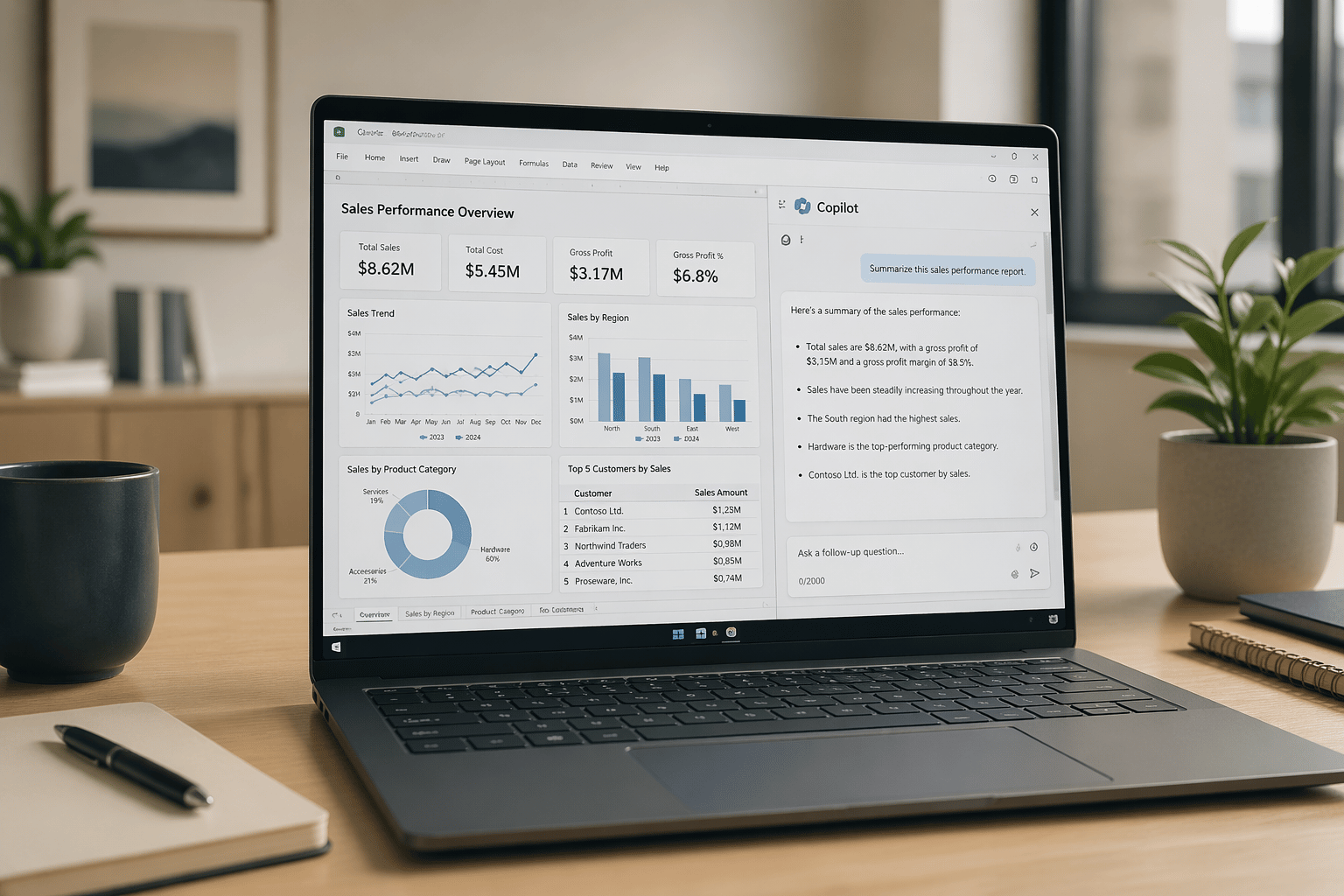
- With Copilot Cowork, the interaction changes again. Instead of reviewing every report, you ask for a summary and get a focused view of:
- what changed
- what looks unusual
- what likely needs attention
The underlying data has not changed. The way you get to it has.
Why Early AI Results Sometimes Feel Too General
This is also where some of the early frustration comes in. Teams try AI and feel like the results are not quite useful. The output is not wrong, but it feels too general. That usually is not a data issue. It is a context issue.
If the system only sees individual records, it will respond at that level. It can summarize transactions, highlight trends, or point out exceptions, but it may not explain why something is happening in a way that reflects real operations.
The connections between data, processes, and decisions are not always visible. Without those connections, the output stays surface-level. As more of that context becomes available, the responses tend to improve, not because the data changed, but because the relationships behind it became clearer.
If AI feels too broad or surface-level, Why AI Sometimes Feels Off (Even When You Have the Data) explores why context matters.
Power Automate and Copilot Cowork Together
It is important to be clear about what is not changing. This is not a replacement for Power Automate. Anything that needs to happen the same way every time still belongs there:
- approvals
- data updates
- integrations
- scheduled processes
- and notifications all depend on consistency and control. Those are structured processes, and they should remain structured.
These are structured processes, and they should remain structured. Copilot does not replace that layer. It builds on top of it. Automation continues to handle execution, while AI helps with interpretation and coordination in the areas that are less defined.
Less Checking, More Acting
In practice, the shift is not about eliminating work. It is about changing where the effort goes.
- Less time is spent gathering and organizing information.
- More time is spent deciding what to do with it.
- Less checking, more acting.
A Natural Next Step for Teams Already Using Power Automate
For teams already using Power Automate, this is not a reset. It is a continuation. The structured parts of the process are already in place. Copilot Cowork begins where those structures stop, in the parts of the workflow that still depend on someone figuring things out.
A good place to start is not a large initiative. It is something simple and familiar.
- A daily review that takes longer than it should.
- A recurring question that requires pulling information from multiple places.
- A situation where people spend more time understanding the problem than addressing it.
That is where this approach tends to fit naturally. Not as a replacement for automation, but as the next layer on top of it.
How to Adopt Microsoft Copilot After Power Automate
First, automate the predictable work.
Then improve how people interpret, prioritize, and act on the information that remains.
For organizations already investing in the Microsoft Power Platform, that shift often feels less like a major transformation and more like the next logical step.
And if you’re still wondering whether your data is ready, Why Perfect Data Isn’t Required to Get Started explains why most organizations can begin sooner than they think.
If you’re already using Microsoft Power Automate and want to explore where Microsoft Copilot can add value, BCS can help you identify practical opportunities and build a path that fits your existing processes. Contact us to start the conversation.