Manufacturing/Production module in Business Central:
Production/Manufacturing module in Business Central helps production employees to capture the process involved that converts the Input raw material into finished part. It helps capturing all the sequence of steps in manufacturing, Bill of materials, machines/equipment’s needed to manufacture the product along with the cost of producing the parts.
There are different types of Manufacturing process available in the Industry that includes: Discrete manufacturing, Process manufacturing, Cell manufacturing, Gravity die casting, Contract manufacturing, Sub-contract processing, and more.
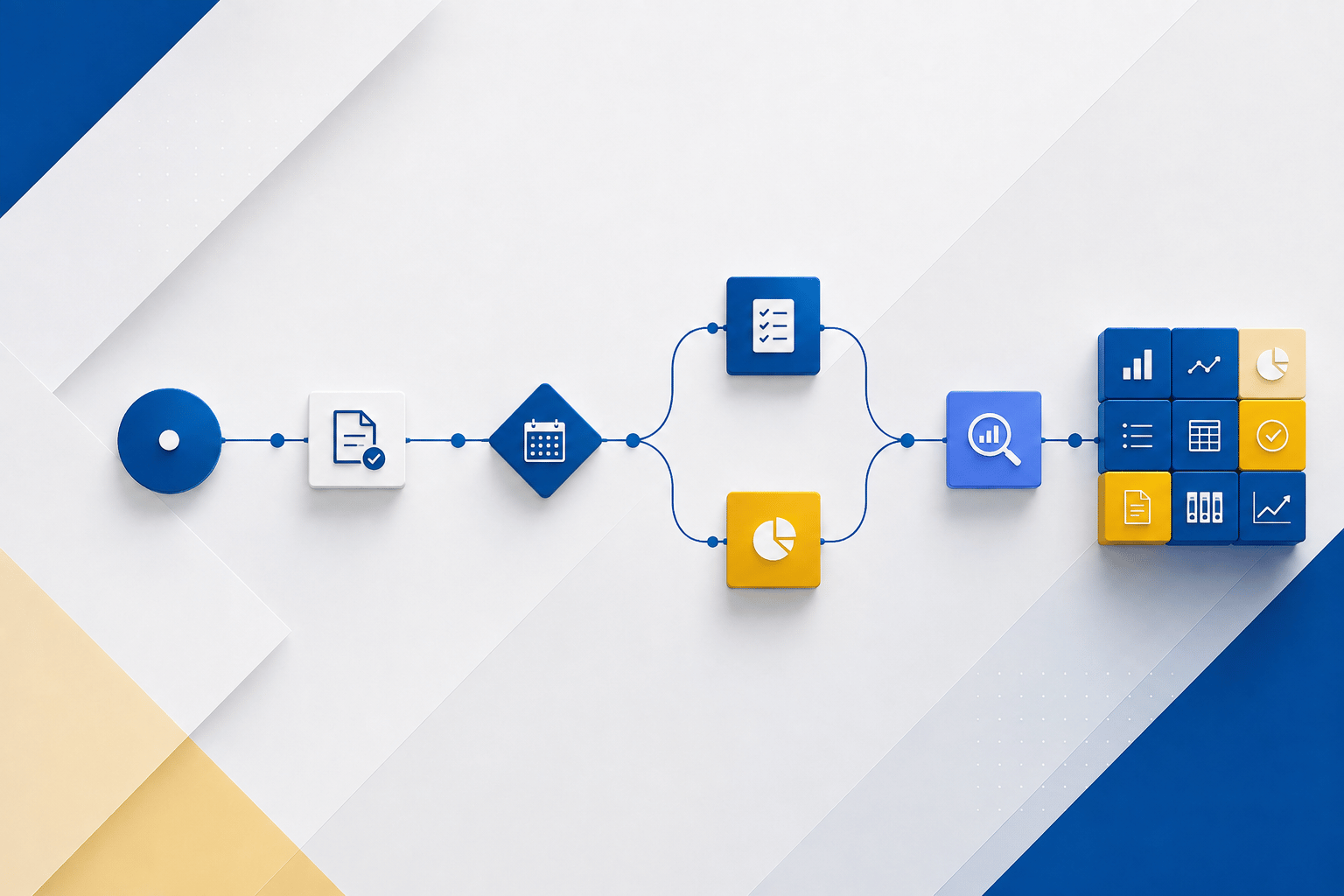
Flow diagram of Raw Materials to Sub-Assembly to Finish Goods process.

About Machine Center:
A machine Center is a Machine or Resource that is used to perform an operation or activity. A resource can be a Man or Machine/Equipment.

About Work Center:
The “Work Center” is a collection of two or more machines/resources grouped together that can be used to perform an operation / activity.

About Routing process:
Routing in Business Central is used to sequence the steps involved to produce/manufacture a product.
Routing can be combined with Machine Center or Work center depending upon the need/requirement of respective parts being manufactured.

The “Serial routing” is the sequence of steps needed to manufacture a product. Here there is a dependency that the product can be processed only when the previous step of the process is completed.
The “parallel routing” is the process where multiple processes can be done simultaneously at the same time.
The key components of Production module is Cost. There are three types of costs involved in Manufacturing module.
Cost component in Business Central:
- Direct Unit Cost: Specifies the cost of one unit of the selected item or resource.
- “Capacity Cost” means the expenses that is occurred in a Manufacturing unit, to produce a Product.
- Examples of Capacity Cost: Machine Cost, Machine Fixtures Cost, Tools used as Consumables for manufacturing a product etc. These costs are also called “Direct Costs”.
- “Capacity Overhead Cost” are something like a fixed operating cost that is needed to operate a machine in a factory.
- Examples of Capacity overhead cost: Production Employee salary, Machine Insurance, Rent of the building (if it is leased) etc., these are all called “Indirect Costs”.
- “Manufacturing Overhead” is also referred to as “Indirect Cost”. These overheads are related to Machineries and Equipment’s that are used in the Factory to produce a Product.
- For example: Machine Maintenance Cost Or Machine Repair Cost, Electricity/Gas used for the Machines, Machine Lubricants, Bulbs used in machines, etc., Indirect labors, who cleans the machine.
The effect of costing and G/L account update during production process in Business Central.
G/L Account used in this session are given below:

Step 1: Inv. Posting Setup

Step 2: After Consumption of Raw Material
WIP Account is Debited (Increase) and Inventory Account is Credited (Decrease)

Step 3: After Posting Output:
- Capacity Entry: WIP account is Debited (increase) and Direct Cost Applied Account is Credited (decrease)
- Finish Good: Interim Inventory Account is Debited (increase) and WIP account is credited (decrease)

Step 4: After Order is finished

Step 5: G/L account updates after reviewing the G/L account:
- Finish Good Inventory account is Debited (increase) and Interim Inventory Account is Credited (decrease)
- At the same time, WIP account is cleared

Interested in learning more about BC for manufacturing? Learn more here.