
Sales tax works...until it doesn't. Join our May 5 webinar.

June 30, 2022

How-To Setup Sales and Inventory Forecasting in Business Central

Microsoft has provided an extension on Sales and Inventory Forecast using Azure AI. Azure AI is already connected to Business Central.

This app is pre-installed in the Business Central cloud version. But it needs to be setup and configured. Once it is setup and configured, it will help us future forecast of the Inventory based on past Sales history.

Step 1: Using the Global search, search for “Sales and Inventory Forecast Setup

Step 2: Set required parameters, Period Type, Horizon, historical Periods, API URI and API Key

Step 3: For this example we will be setting these values.

Period Type: Months

Horizon: 12 (months)

Historical Period: 6 (months)


Continue with these steps to obtain the API URI and the API key.

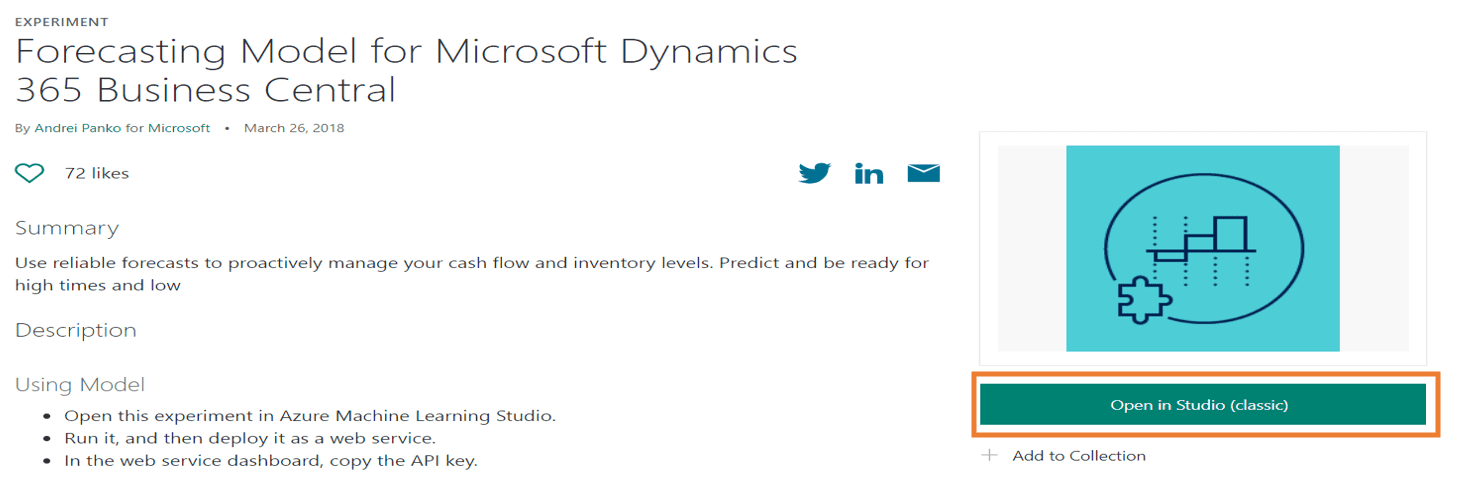
Step 4: Open Azure AI Gallery

Step 5: Select “Open in Studio (Classic)”
Step 6: Continue into the workspace

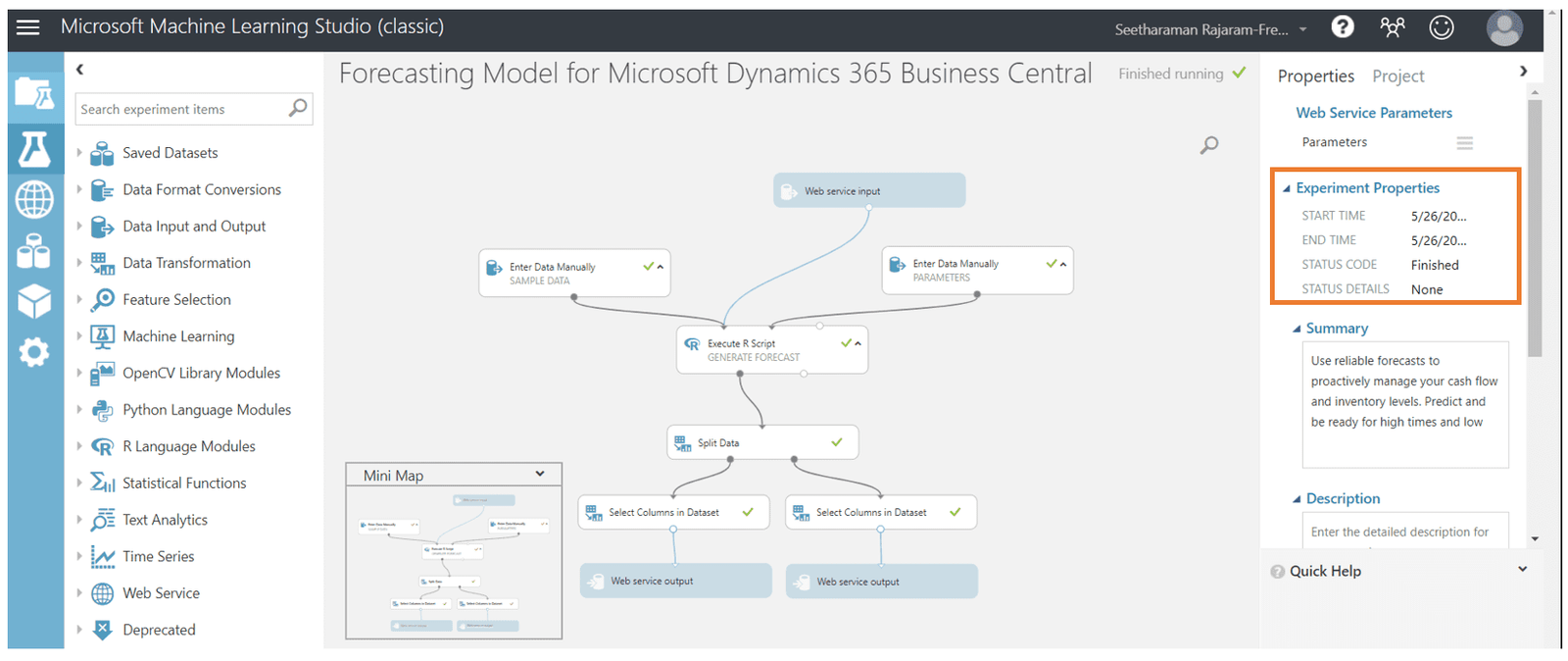
Step 7: Here you can see the workflow copied from the gallery.

Step 8: Save the workflow.

Step 9: Select “Run.”

You can see the forecast is queued and then runs in the background.

When it has finished you will see this.
Step 10: Select “Deploy Web Service”

Step 11: Copy the API key

Step 12:  Paste that API key into the Sales and Inventory Forecast Setup window from before.

Step 13: Select Request/Response

Step 14: Copy the API URI from the highlighted box below and paste into the appropriate record in the Sales and Inventory Forecast Setup window from before.

Step 15: After inputting all the correct parameter values, select “Update Forecast” in the Sales and Inventory Forecast Setup window.

Step 16: Now the Calculated Forecast is visible for all inventory items.

For any questions on this process please reach out to us at Support@BondConsultingServices.com or schedule a free consultation with one of our experts.


Other articles

Microsoft Dynamics 365 Business Central Implementation Packages

Clayton Jones

|

April 29, 2026
If you’re like 99% of our clients, you’re trying to rein in the soaring costs of technology. It’s a delicate balancing act. On the one hand, you understand that you…

Doing More With the Team You Have: What BCS is Changing with AI

Jackie Gant

|

April 29, 2026
AI is everywhere right now, but what feels different is the pace. For the first time in a long time, small and mid-sized businesses are adopting new technology just as quickly…

Why AI Sometimes Feels Off (Even When You Have the Data)

Zoltan Orban

|

April 23, 2026
Webinar: Doing More With the Team You Have | What BCS is Changing About AIApril 28 @ 12:00 PM PT/3:00 PM ETRegister Now!Most small and mid-sized businesses aren't behind on…

What 200% ROI from Business Central Really Looks Like

Jackie Gant

|

April 13, 2026
Where ROI actually shows up from finance efficiency to operational visibility Forrester says Business Central delivers 200% ROI. But what does that actually look like in practice? A recent Total Economic…

Do You Need Avalara for Business Central? A Practical Guide

Clayton Jones

|

April 10, 2026
Webinar: Sales Tax Works…Until It Doesn’t: Tax Complexity at Scale for Product CompaniesMay 5 @ 10:00 AM PT/1:00 PM ETRegister Now!Most companies focused on making, distributing, or selling products manage…

What Is Work IQ? How Microsoft Copilot Moves from Data to Context

Zoltan Orban

|

April 9, 2026
Work IQ is one of those terms that can sound more complex than it really is. Most AI tools today work by pulling from available data. They can read records, summarize…