Microsoft Copilot is showing up everywhere: in Outlook, Teams, Word, Excel, Dynamics 365, and even everyday conversations about AI at work. But for many business leaders, the question is not whether Copilot matters. It is much more practical:
Which Copilot are we talking about? What does it actually do? And where should our team start?
This guide brings together our Microsoft Copilot, Explained series to help clarify the different Copilot experiences, how they fit into the Microsoft ecosystem, and what businesses should understand before adopting AI more broadly.
What Is Microsoft Copilot?
Microsoft Copilot is AI embedded into the tools many teams already use every day. Instead of requiring employees to copy information into a separate AI tool, Copilot works inside Microsoft 365, Outlook, Teams, Excel, Word, PowerPoint, and Dynamics 365.
That matters because most business work depends on context. Emails, meetings, files, spreadsheets, customer records, approvals, and transactions are rarely isolated. Copilot is most useful when it can support work where that context already lives.
Start Here: Understanding the Different Copilot Options
One of the most common points of confusion is the difference between Copilot Chat, Microsoft 365 Copilot, and Copilot capabilities inside Dynamics 365.
If your team is still sorting through the terminology, start with:
Microsoft Copilot vs. Copilot Chat vs. Full Copilot
This article explains the differences between Copilot Chat, Microsoft 365 Copilot, and Copilot in Dynamics 365 so you can understand which option fits your organization’s needs and licensing.
Copilot in Outlook: Where Many Teams Feel the Value First
For email-heavy teams, Outlook is often where Copilot becomes tangible.
Copilot in Outlook can help draft replies, summarize long threads, refine tone, and reduce the friction of managing email throughout the day. Unlike standalone AI writing tools, it works directly inside the inbox, which means fewer context switches and less copy-paste work.
Read more:
Why Copilot in Outlook Beats Standalone AI Email Tools
This post explains why Outlook-native AI can be more useful than separate AI email tools, especially for teams managing high email volume, sensitive information, and frequent follow-ups.
Do You Need Perfect Data Before Starting with AI?
Many teams delay AI adoption because they believe their data is not ready.
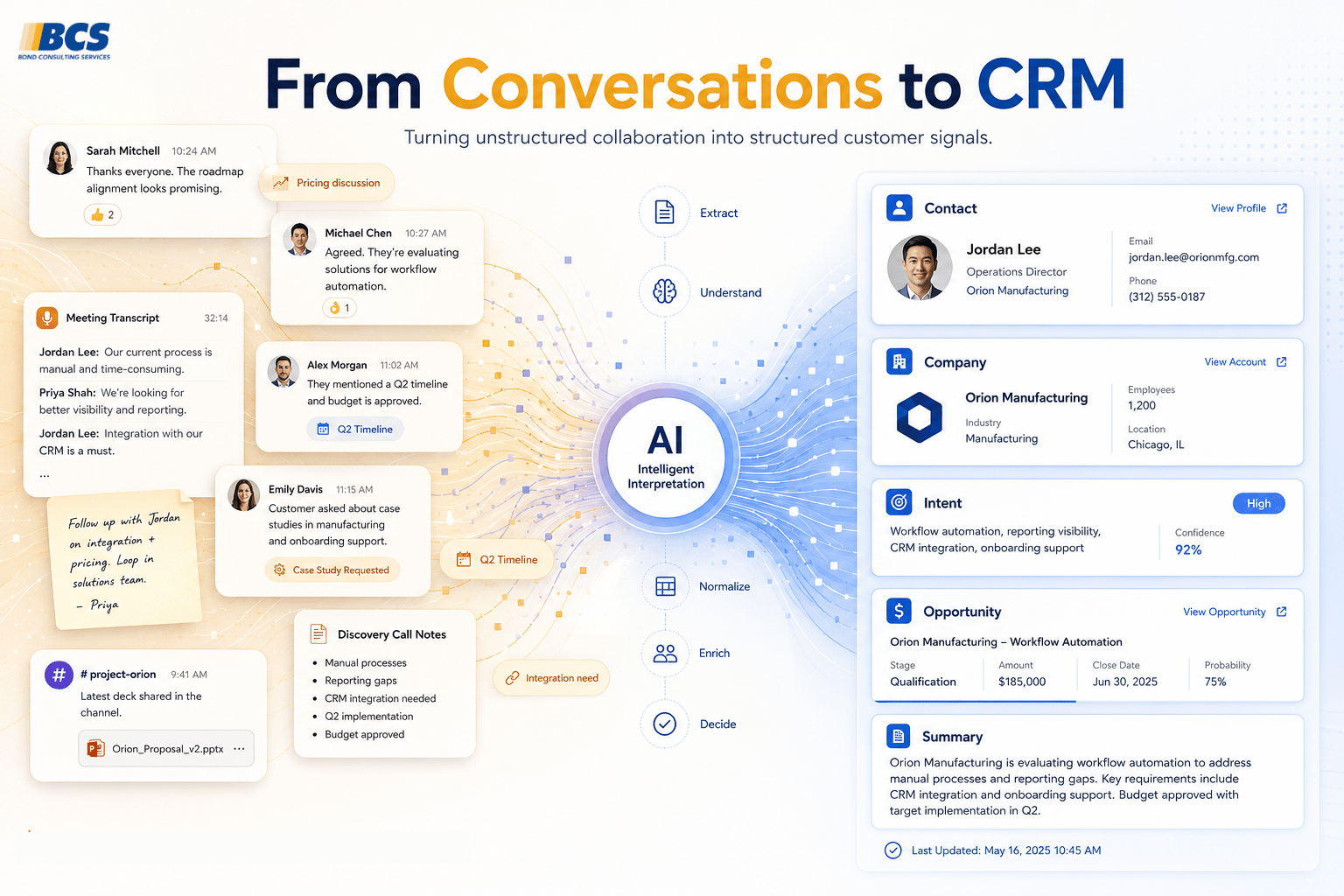
That concern makes sense. Traditional business systems often depended on clean fields, consistent formats, and rigid structures. But AI works differently. It can interpret context, patterns, and unstructured information in ways older systems could not.
That does not mean data quality does not matter. It means imperfect data should not automatically stop teams from starting.
Read more:
Why Waiting for Perfect Data Means Never Starting with AI
This article explores why teams can begin experimenting with Copilot before every data issue is solved, and why starting small often helps organizations understand what “AI readiness” really means.
From Copilot to AI Agents
Copilot helps people work faster. AI agents go a step further.
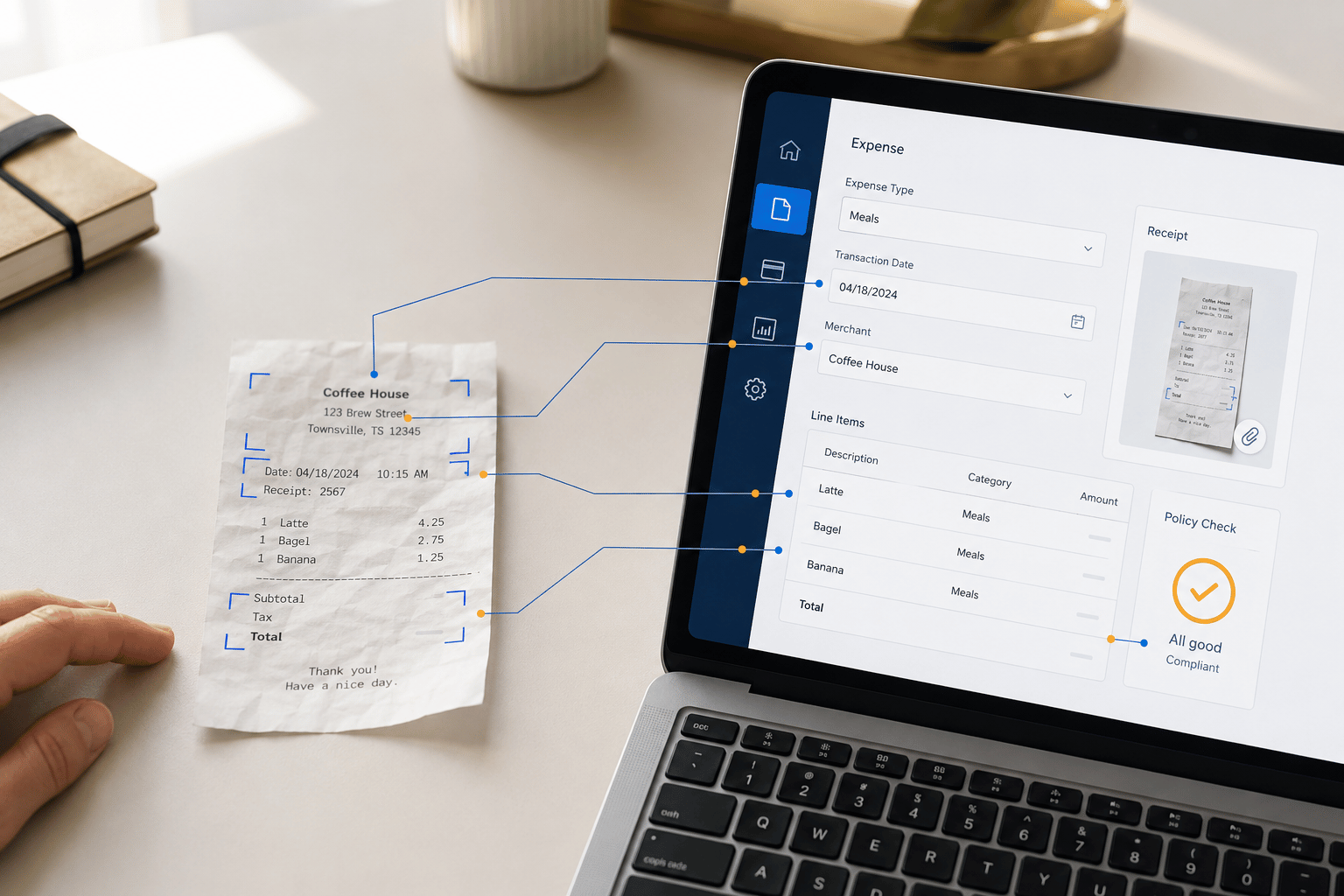
In Dynamics 365, agents can support workflows such as expense processing, sales order handling, and bank reconciliation. Instead of waiting for a prompt, agents respond to triggers, follow defined workflows, and surface exceptions when human judgment is needed.
Read more:
What AI Agents in Dynamics 365 Actually Do
This post explains the difference between Copilot and agents, how agents work inside Dynamics 365, and where they make the most sense for business operations.
Where Should Your Team Start?
For most organizations, the best starting point is not a massive AI transformation project. It is a focused, practical rollout.
Start with the tools people already use. Identify workflows where time is lost to drafting, summarizing, searching, reworking, or repetitive admin. Give a small group access, let them experiment, and use what you learn to guide the next step.
Copilot adoption works best when it builds confidence gradually.
Keep Learning
The Microsoft Copilot, Explained series is designed to make Copilot easier to understand, evaluate, and apply in real business settings.
Explore the full series:
- Microsoft Copilot vs. Copilot Chat vs. Full Copilot
- Why Copilot in Outlook Beats Standalone AI Email Tools
- Why Waiting for Perfect Data Means Never Starting with AI
- What AI Agents in Dynamics 365 Actually Do
Ready to Explore Microsoft 365 Copilot?
Understanding what Copilot is and how it works is an important first step. The next question is often more practical:
Is Microsoft 365 Copilot right for my business?
If you’re already using Outlook, Teams, Excel, Word, and other Microsoft 365 applications, Copilot may be able to deliver value quickly without requiring new systems or a lengthy implementation project.
Explore common use cases, pricing, and what a successful rollout can look like on our Microsoft 365 Copilot for Business page.
What is Microsoft Copilot?
Microsoft Copilot is AI built into Microsoft tools like Outlook, Teams, Word, Excel, PowerPoint, and Dynamics 365. It helps users draft, summarize, analyze, and take action within the applications they already use.
What is the difference between Copilot Chat and Microsoft 365 Copilot?
Copilot Chat is a secure AI chat experience included with many Microsoft 365 subscriptions. Microsoft 365 Copilot works directly inside apps like Outlook, Teams, Word, Excel, and PowerPoint, using work context to support everyday tasks.
Learn more here: Microsoft Copilot vs Copilot Chat vs Full Copilot
Is Microsoft Copilot the same as ChatGPT?
No. ChatGPT is a general AI tool, while Microsoft Copilot is designed to work inside Microsoft applications and your organization’s Microsoft 365 environment, including your existing permissions, files, emails, meetings, and business data.
Do businesses need perfect data before using Copilot?
No. Copilot can work with real-world business context, including emails, meetings, documents, and spreadsheets. Clean data still matters, but teams do not need to solve every data issue before starting with AI.
Continue reading here: Why Waiting for Perfect Data Means Never Starting with AI
What are AI agents in Dynamics 365?
AI agents in Dynamics 365 are designed to complete specific business workflows, such as expense processing, sales order handling, and bank reconciliation. They act based on triggers, follow defined workflows, and surface exceptions for human review.
Keep reading here: What AI Agents in Dynamics 365 Actually Do (A Plain-English Guide)