Since November 2, the Power BI App for Microsoft Teams has become generally available to Teams Users. Within the Power BI app for Teams, you can utilize nearly all the functionality Power BI Service has to offer, without having to leave Teams. Other functionality such as sharing reports within Teams, pinning reports in Teams chats, and even analyzing your Teams usage data is all now possible via Power BI for Teams.

Collaboration in Teams
Many new functions make sharing and communicating easy with Power BI. One great functionality is the ability to pin Power BI reports to a Team or Chat channel by pressing the + symbol at the top of either channel.

From here you can select the Power BI app, choose a workspace and report, and it will immediately become available to anyone in that Team with proper access to the report.

You can also use the “Chat in Teams” function to share a report or visual with any person, group, or channel in your Teams network.

Analyzing Teams Data
Power BI in Teams also provides interesting analytics of your Teams data when you create new reports. To access these insights click on the Power BI tab on the left side, then select “Create” to see the analysis button.

Selecting the “Analyze your Teams Data” button automatically creates a report with key metrics for your data. One of these such reports is shown below.
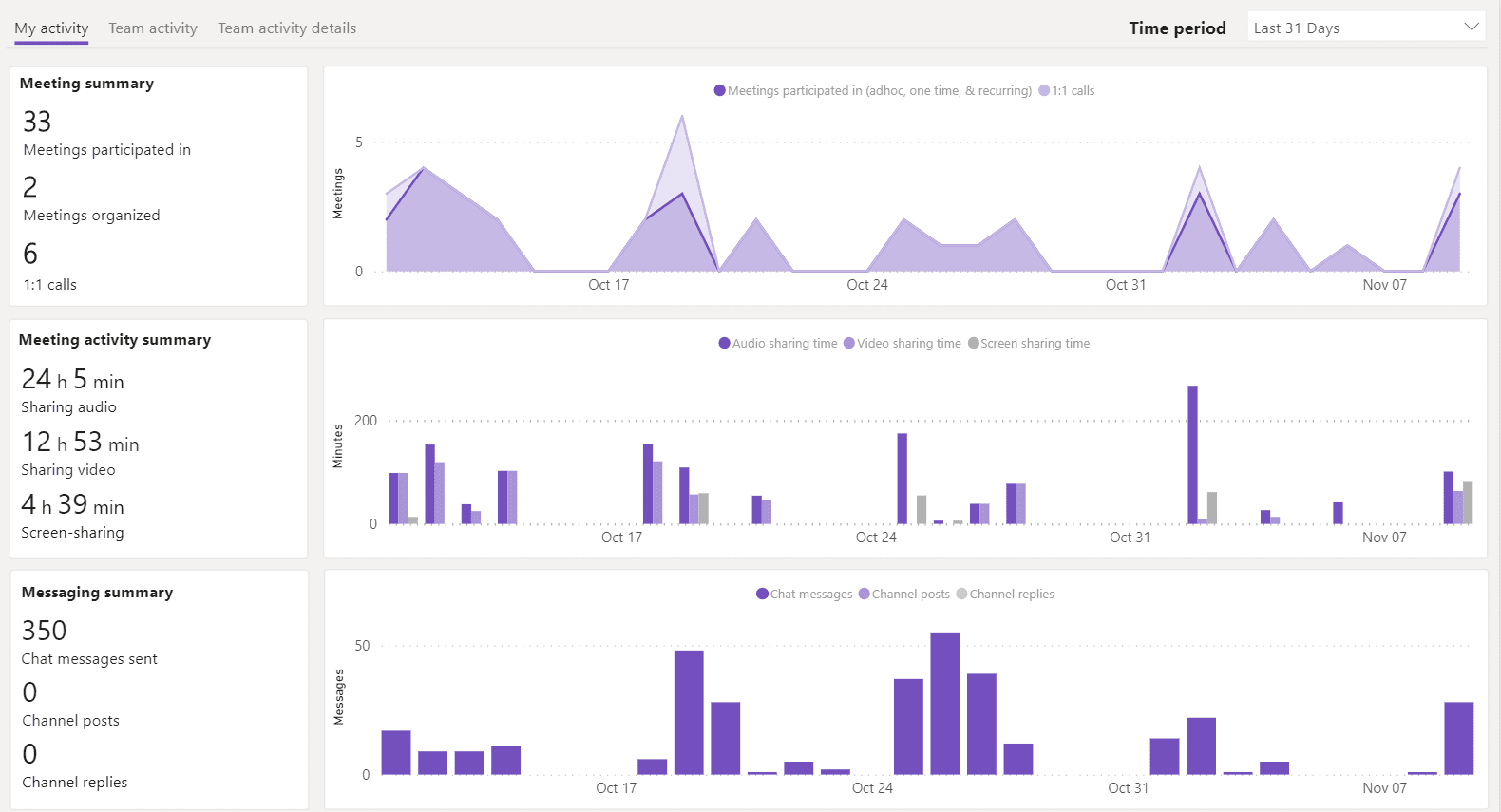
This is only a sample of the functionality the Power BI Teams app adds; from adding Power BI goals scorecards to Teams, access request notifications, organization wide installation options and more options available, and more likely to come, Power BI in Teams seems like an impressively easy to use and beneficial way to consume your regular Power BI data.
For more information about Microsoft ERP products browse our website or YouTube channel for helpful videos! You can also schedule a free consultation with one of our experts.