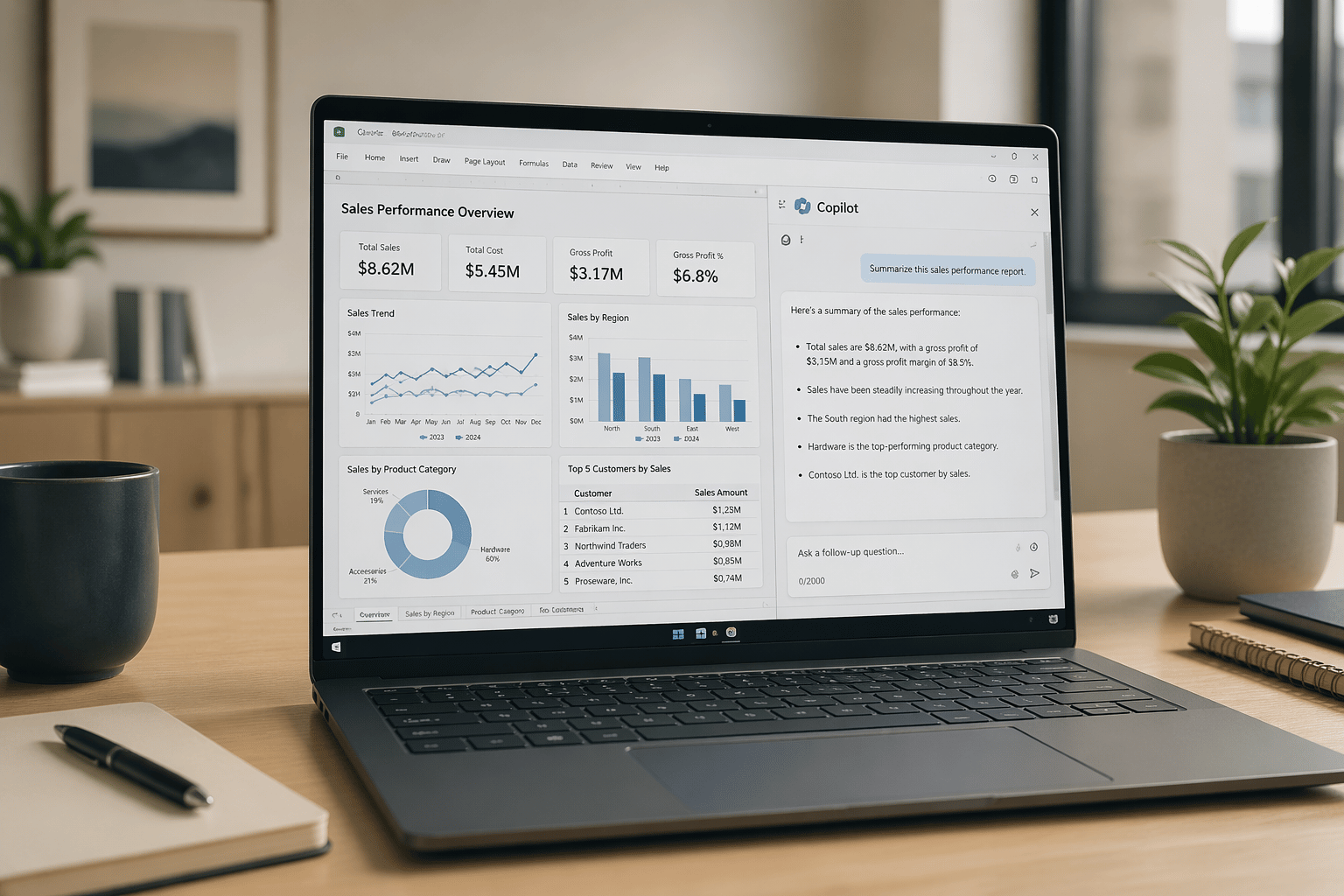
See Microsoft 365 Copilot in action across Outlook, Teams, Excel + more.

October 27, 2022

How-To Change the Format of the Invoice Email

Recently one of our clients had an issue sending out reports in a custom template that was different than the default report. An administrative user need only to follow these steps for the solution as well as viewing all of your custom report templates at a glance. Essentially, the admin user will be setting the desired report template as the default, so that when the email is created it would be in the correct format.

This method can be used for any type of report including invoices and quotes. If it is only a one-time send, then this process may be repeated to reselect the original template as the default and return to business as usual.

Here are the detailed steps to the solution:

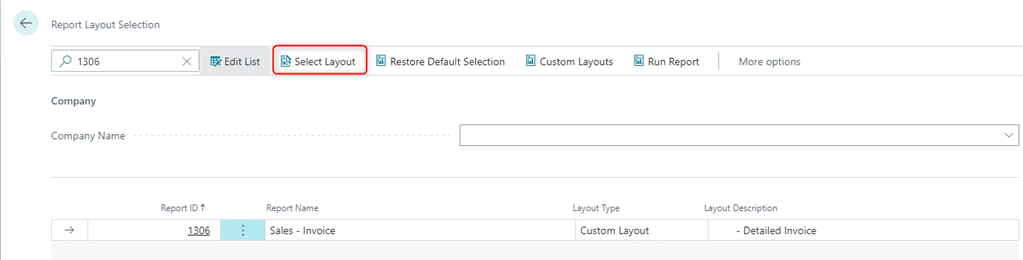
  1. Begin by navigating to the Report Layout Selection page. Click the Search icon and type in Report Layout Selection. Then, select the Report Layout Selection link.

  2. Within the search, type in 1306 (for a Sales Invoice modification)

  3. Click Select Layout
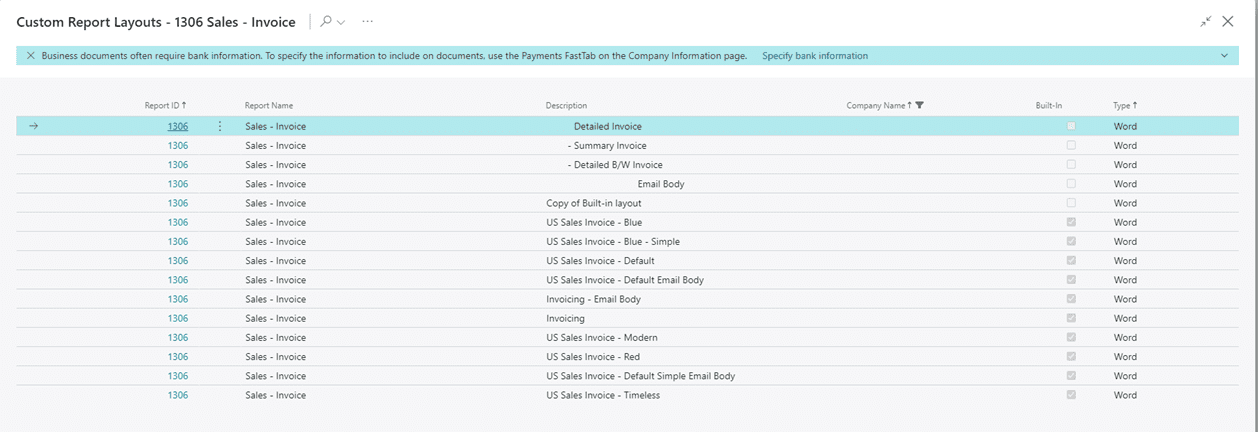
  4. Then, from the below list, select the Summary Invoice. Then click Ok.
    To change it back to the Detailed invoice, you may start from step 3 and change it back to the Detailed Invoice.
For more information on this process or questions about Microsoft Dynamics 365 Business Central capabilities, please reach out to us at Support@lime-falcon-860444.hostingersite.com or click here to schedule a free consultation with one of our experts.

Share On: 

Other articles

Microsoft 365 Copilot Is Hot! Highlights from Community Summit 2025

TJ Sedarski

|

November 11, 2025
This article is part of our “Work Smarter with Copilot” series—spotlighting the latest Microsoft 365 Copilot updates announced at Community Summit 2025.One message rang loud and clear at this year’s…

How Microsoft 365 Copilot in Outlook Helps You Manage Email Smarter (and Tame Your Inbox)

Joel Trinidad

|

November 7, 2025
Part of our “Smarter Work with Copilot” series — exploring how Microsoft 365 Copilot transforms productivity across Outlook, Teams, PowerPoint, Excel, and more.The Email Overload Holding Teams BackFor most of…

Copilot for Power BI: Your Personal Data Assistant

Joel Trinidad

|

October 30, 2025
Microsoft has been steadily adding AI features to their broad range of business products, and Power BI is no exception. Copilot can be utilized to take full advantage of your…

How to Migrate Fixed Assets from Dynamics GP to Business Central Smoothly

George Rios

|

October 28, 2025
PlanningWhen working on a migration of Dynamics GP fixed assets to Business Central, you will want to identify which fields you want to transfer from one system to another. It…

Introducing the BCS Support Portal

TJ Sedarski

|

October 23, 2025
At Bond Consulting Services, we know how important it is to get help when you need it, and to know where things stand once you’ve asked. That’s why we are…

Announcing Unlimited Support for Dynamics 365

TJ Sedarski

|

October 17, 2025
It's like having an in-house Dynamics team - without the overhead A Smarter Way to Get Support for Microsoft DynamicsWe've listened to your feedback and we're making support simpler, faster, and…