Microsoft Copilot $21 now $18/user/month + 1 month free

November 3, 2021

Undo Assembly Process in Microsoft Dynamics 365 Business Central

A recent scenario we have came across is the need to “undo” an assembly order when the assembled product is found defective and will not be sold to the customer. Please follow the steps below to guide you through this process.

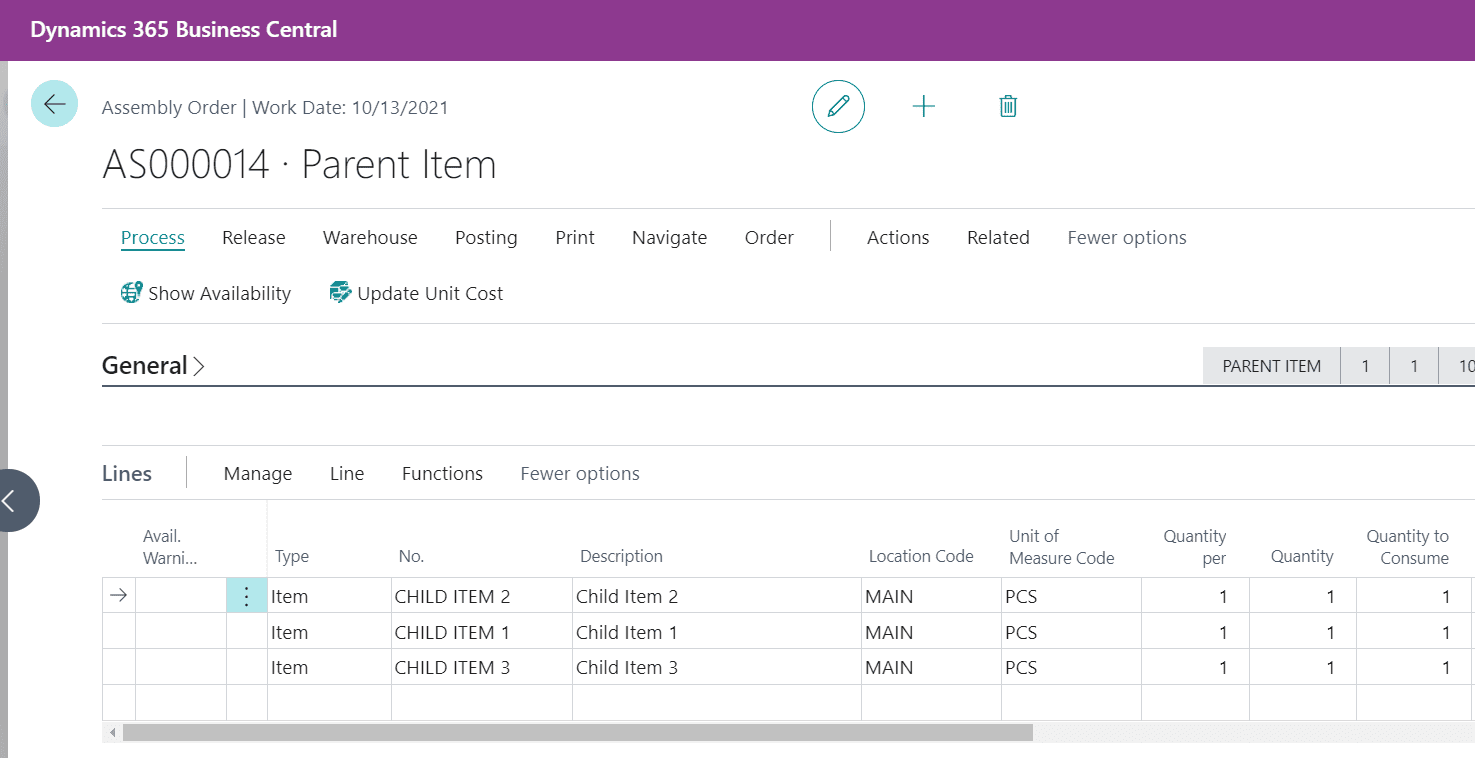
Step 1: Go to the “Assembly Order” created for the Parent Item, a linked Assembly order is created automatically.
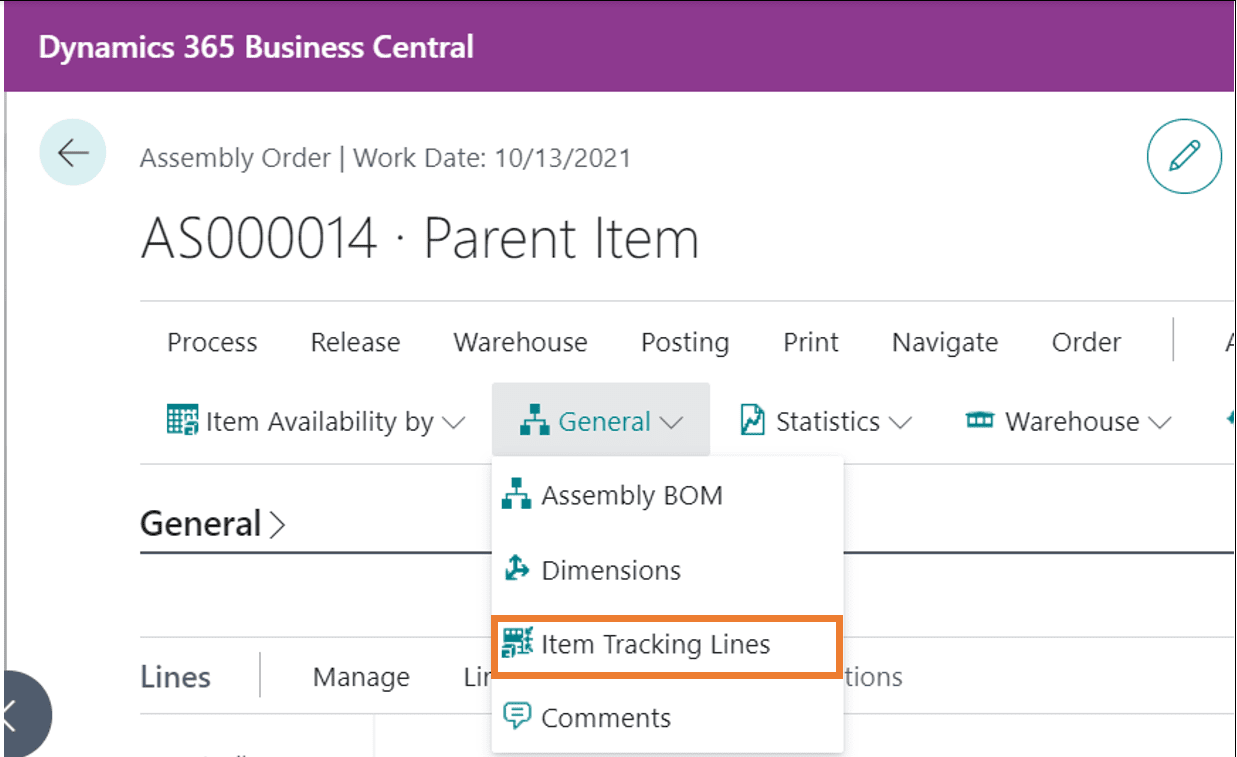
Step 2: Select Item Tracking Lines to assign a serial number for the parent item.
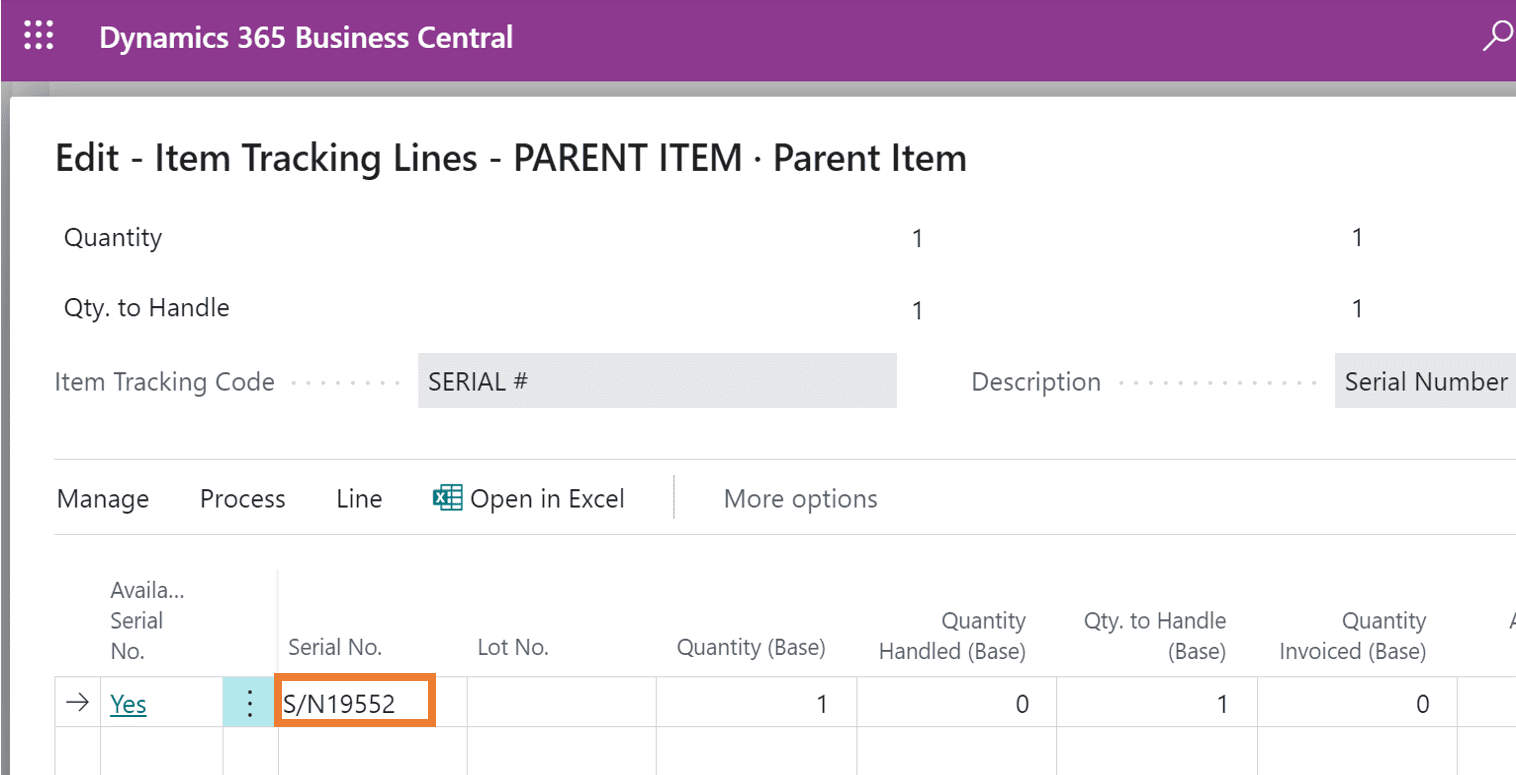
Step 3: The serial number is assigned to the Parent Item.
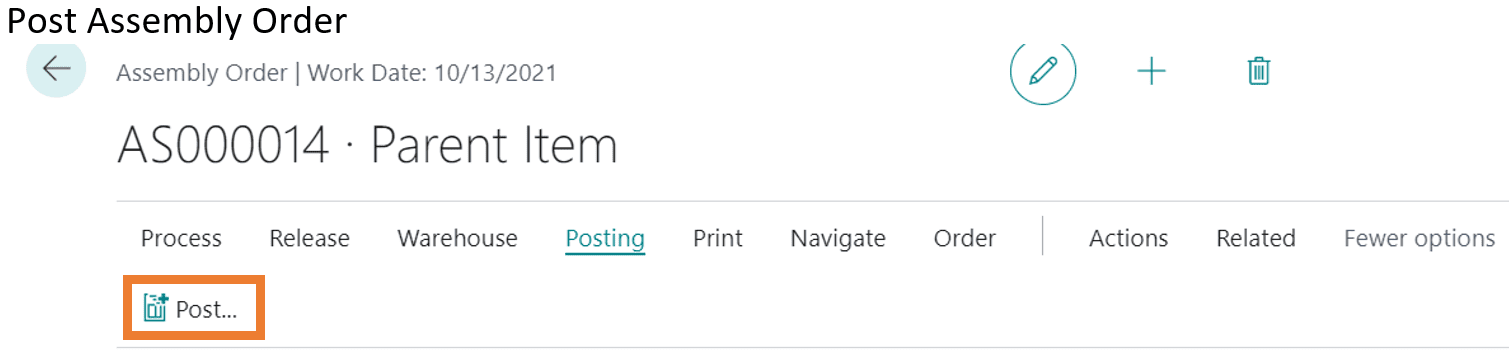
Step 4: Post the Assembly Order.
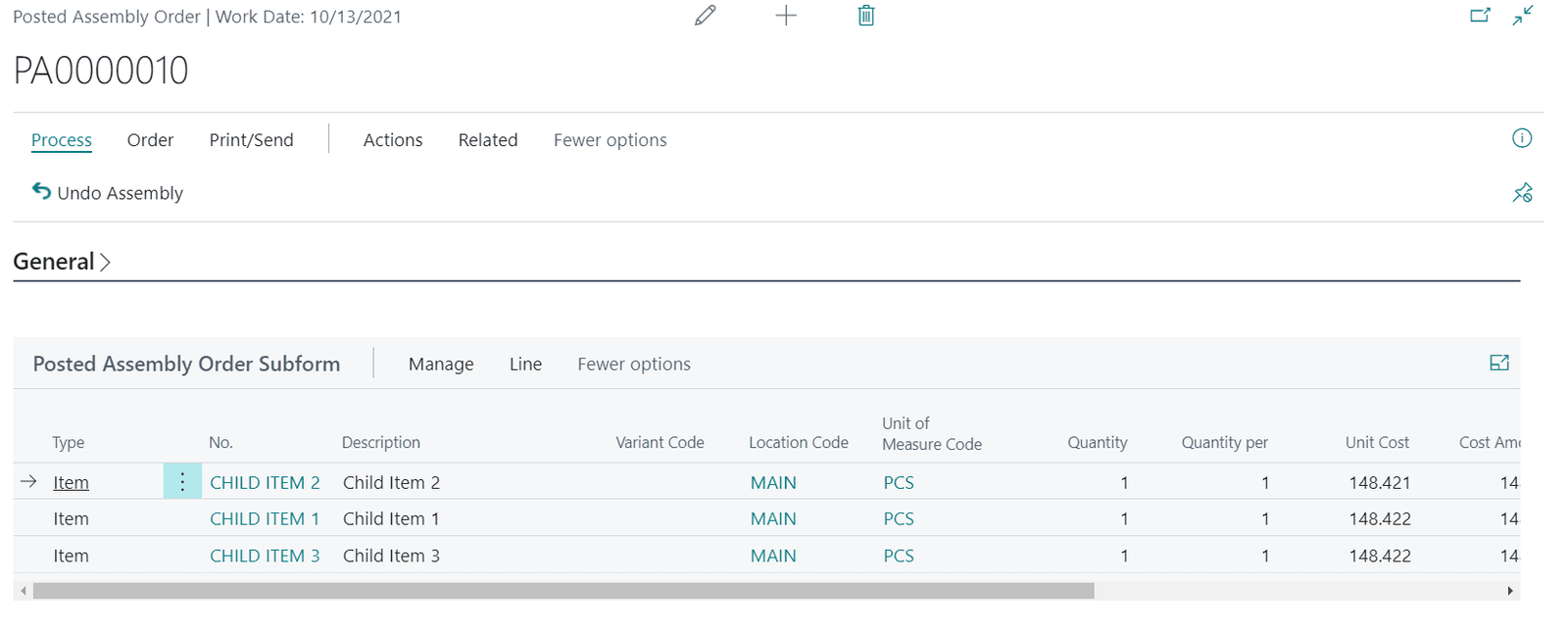
Step 5: The Posted Assembly Order looks like the image below.
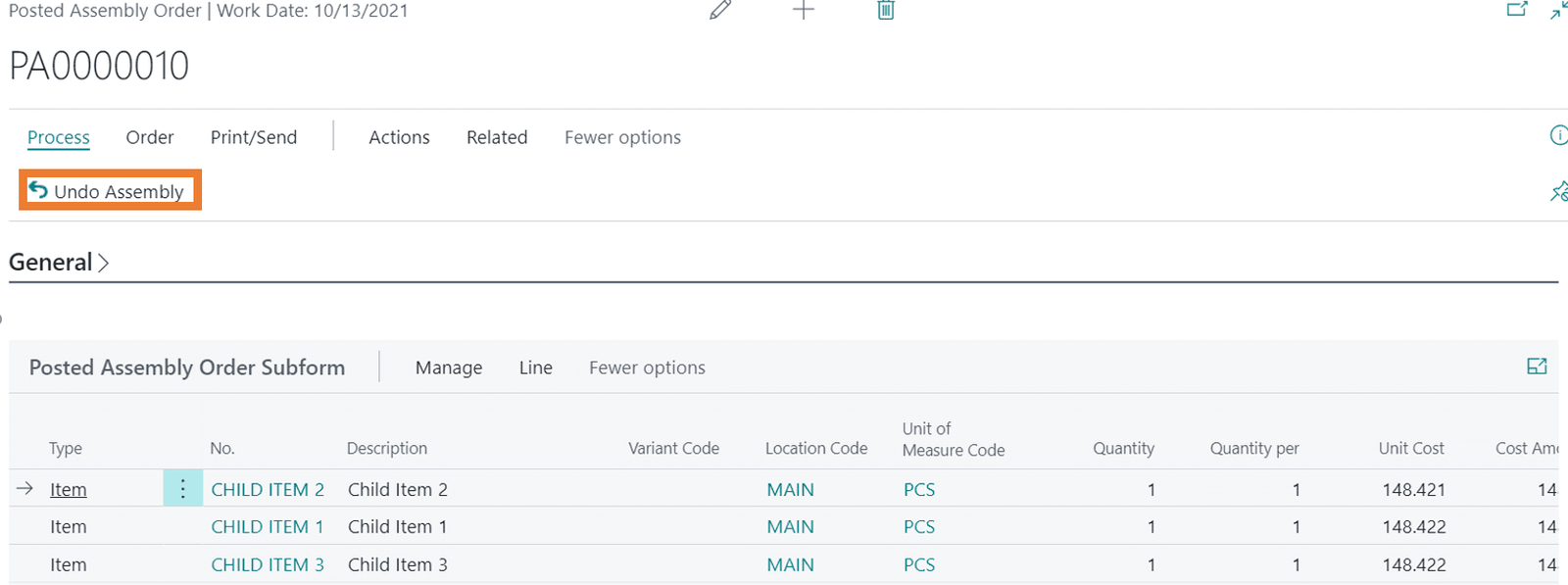
Step 6: Now when a user finds an issue in the assembled product, that user can decide to “UNDO” the posted Assembly order before selling the Assembled product.
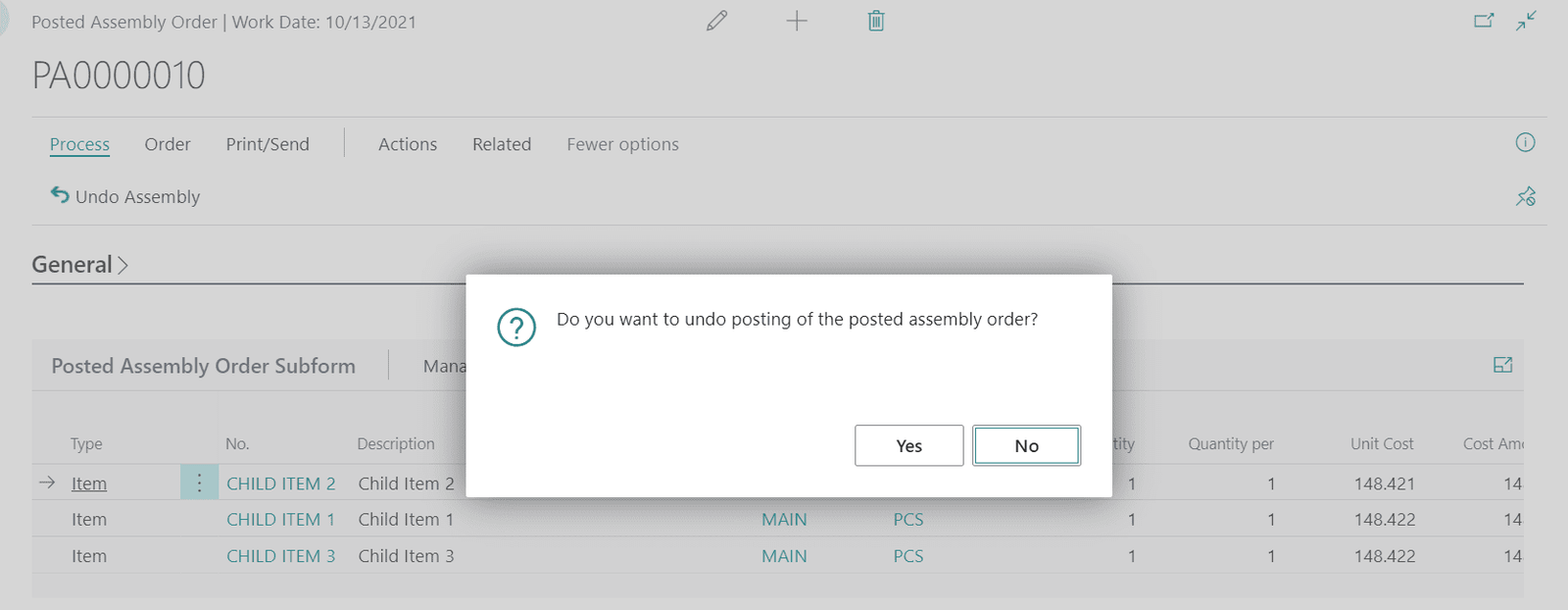
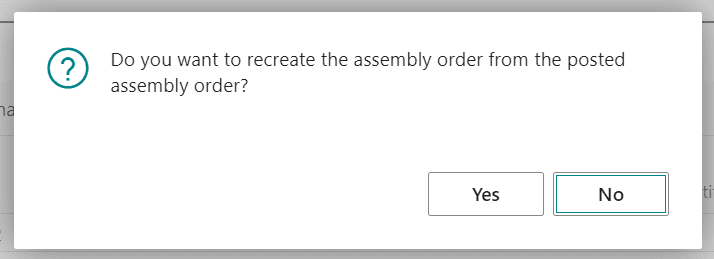
Step 7: Select YES.
 

Step 8: Then select YES if you want to create an assembly order from the posted assembly order.
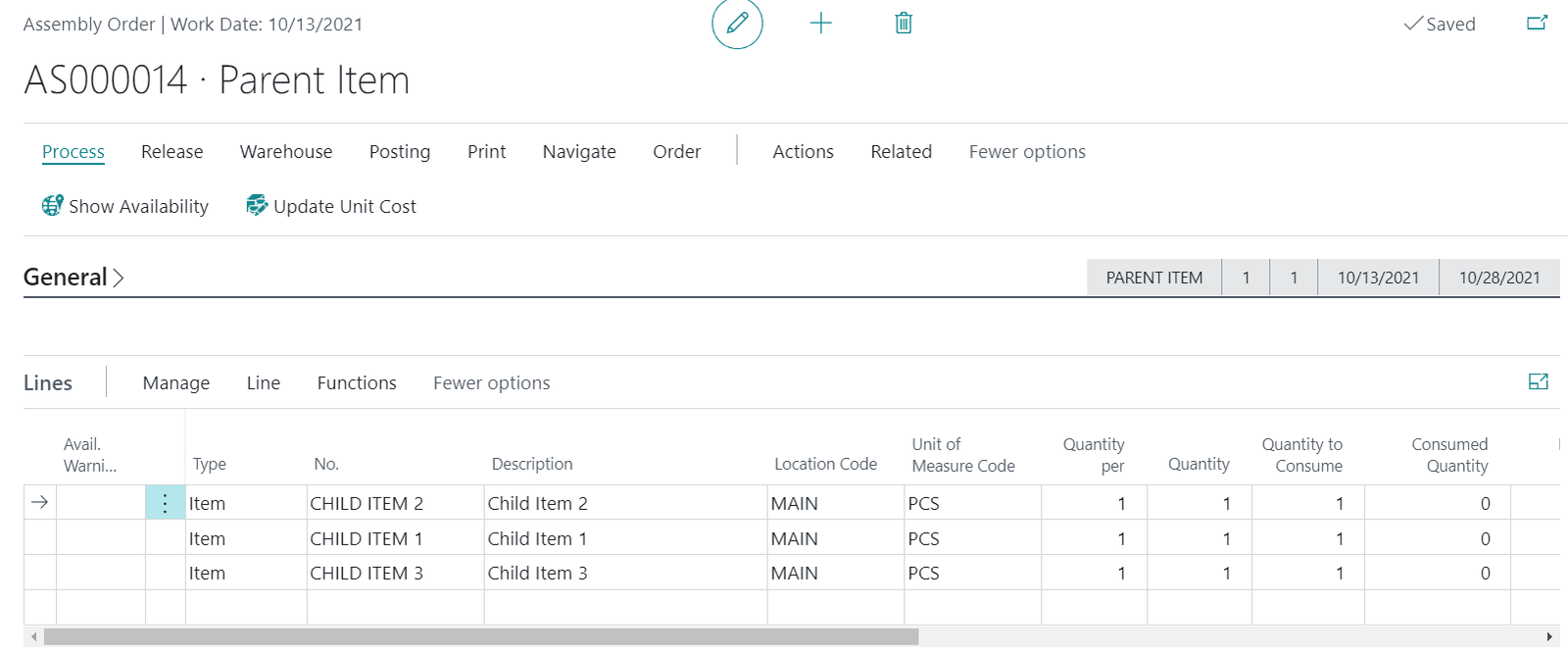
Step 9: The Assembly Order is created again. Now the user can REDO the assembly process (by replacing the parts).
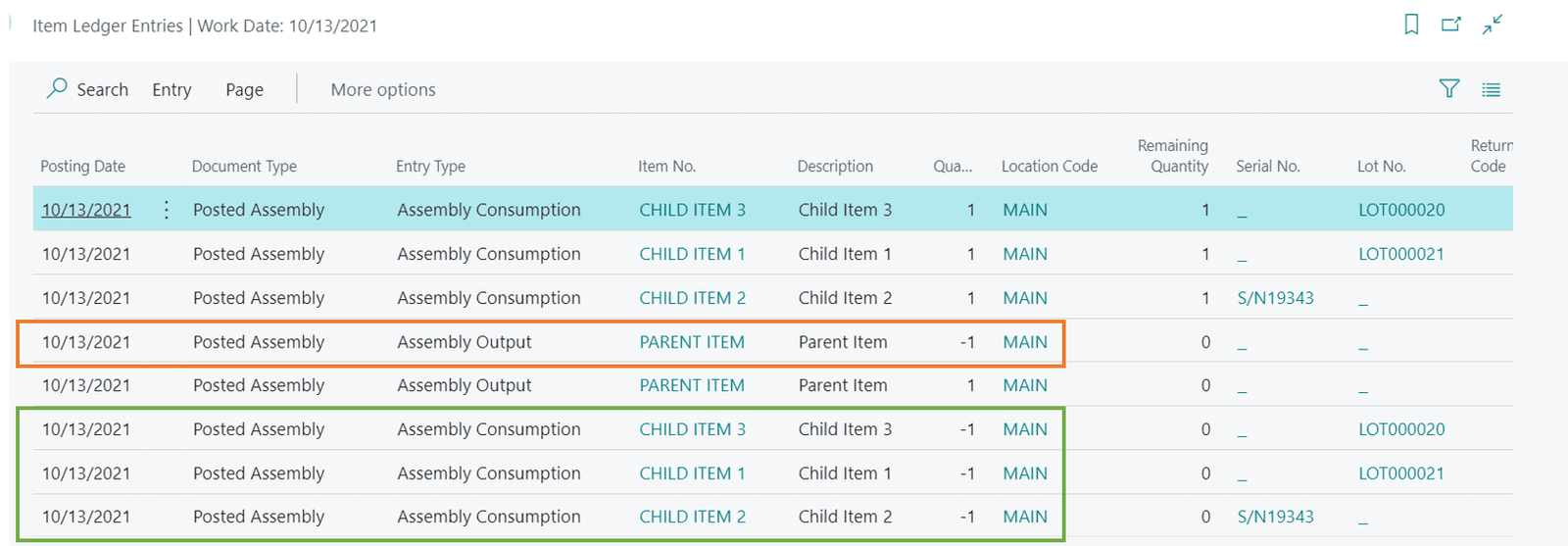
Step 10: Item Ledger entries will look like the image below and we can see the reversal of “Assembly Consumption” and “Assembly Output” entries.
For more information about Dynamics 365 products including Business Central, check out our other blogs as well as our YouTube channel for demonstrations.


Other articles

What 200% ROI from Business Central Really Looks Like

Jackie Gant

|

April 13, 2026
Where ROI actually shows up from finance efficiency to operational visibility Forrester says Business Central delivers 200% ROI. But what does that actually look like in practice? A recent Total Economic…

Do You Need Avalara for Business Central? A Practical Guide

Clayton Jones

|

April 10, 2026
Webinar: Sales Tax Works…Until It Doesn’t: Tax Complexity at Scale for Product CompaniesMay 5 @ 10:00 AM PT/1:00 PM ETRegister Now!Most companies focused on making, distributing, or selling products manage…

What Is Work IQ? How Microsoft Copilot Moves from Data to Context

Zoltan Orban

|

April 9, 2026
Work IQ is one of those terms that can sound more complex than it really is. Most AI tools today work by pulling from available data. They can read records, summarize…

What’s Rolling Out in Business Central 2026 Release Wave 1

Lupe Haro

|

April 7, 2026
The latest release of Microsoft Dynamics 365 Business Central is now rolling out, with updates scheduled between April and September 2026. When Microsoft first introduced this wave, the themes were clear:…

Where Microsoft Copilot Fits into the Workday

Zoltan Orban

|

March 31, 2026
There is a lot of marketing around Copilot, but in practice, its value often shows up in small, everyday tasks. It is not a replacement for expertise, but it can…

What Copilot “Cowork” Means for Business Users

Zoltan Orban

|

March 26, 2026
Microsoft recently introduced Copilot Cowork, and I wanted to take a closer look at what it represents in practical terms, especially for business users working across Microsoft 365 and related…