Microsoft Copilot $21 now $18/user/month + 1 month free

January 21, 2022

How can I track Jobs or Projects in Business Central

The Jobs Module within Business Central helps you manage various projects. You can track employee work hours through the Time Sheets function, monitor budgets and actual usage, view inventory and resources assigned to the jobs, invoice a customer, or make purchases linked to the job.

Let’s review an example of the project:

Within each job you can assign prices to Resources, Items, or G/L Accounts in order to track costs and budgets.

The period and progress of each job is also displayed here to allow a thorough view of operations. With the next layer as a Job Task, you can post and review the completion of the job.
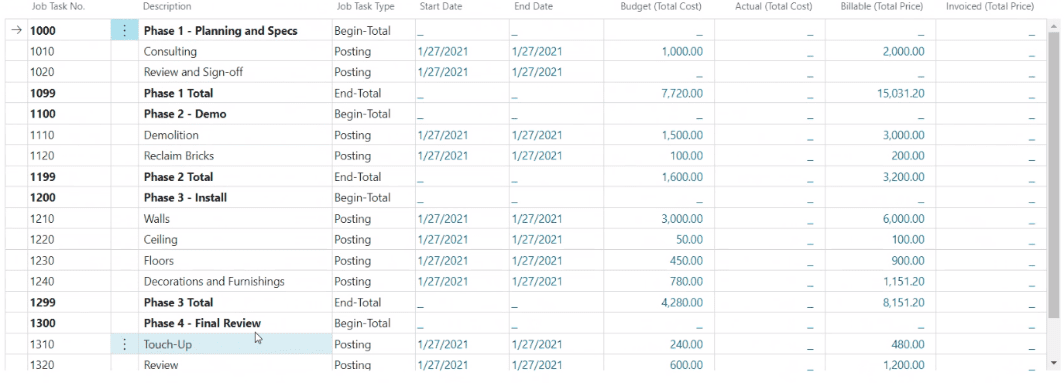
Having layers in a project allows you to divide the job into smaller tasks, and therefore use more specific details in budgeting, quotes, and registration. The visibility to each step allows you to see if you are meeting defined targets or if your budget expectations are met.

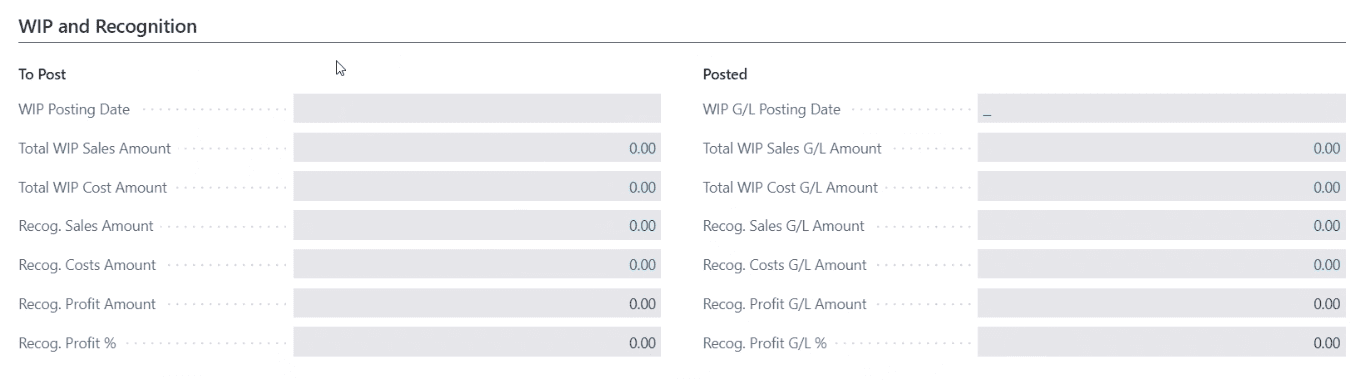
You can change the status of the job as it progresses and monitor Job Progress and Performance by making Work in Progress (WIP) calculations.

You can use Jobs module even if your business model is not around jobs. It can be used for various projects within the organization, whether it’s product development or even marketing efforts.

For additional questions about the Jobs module please reach out at support@lime-falcon-860444.hostingersite.com


Other articles

What Copilot “Cowork” Means for Business Users

Zoltan Orban

|

March 26, 2026
Microsoft recently introduced Copilot Cowork, and I wanted to take a closer look at what it represents in practical terms, especially for business users working across Microsoft 365 and related…

Why CRM Data Quality Matters More Than Data Volume

Marisa Mini

|

March 24, 2026
A database of 100,000 messy, outdated records is far less valuable than 5,000 that are clean and accurate. Companies often obsess over data volume. But when more data is prioritized over…

From Reactive to Predictive: AI in Business Central Distribution

Zoltan Orban

|

March 19, 2026
Most distribution teams don’t lack reporting. If anything, they often have too much of it. Dashboards, planning worksheets, inventory reports, and KPIs are readily available inside Dynamics 365 Business Central. Yet…

AI Agents in Business Central: How the Payables Agent Works

Jennifer Ryan

|

March 17, 2026
If you're curious how AI agents in Microsoft Dynamics 365 Business Central actually work, we're hosting a live walkthrough of the Payables Agent on March 26. See live how the agent…

Migrating 1.3 Million CRM Records in Dynamics 365: Why We Used a Custom Console App

Marisa Mini

|

March 5, 2026
A government client needed to restructure 1.3 million contact records in Microsoft Dynamics 365 CRM. At that scale, traditional UI tools and flows can throttle, fail silently, or leave a…

AI Agents in Manufacturing ERP: D365 Business Central Guide

Seetharaman Andiappan Rajaram

|

March 4, 2026
AI agents are now live inside Microsoft Dynamics 365 Business Central. For manufacturers evaluating AI in ERP systems, the practical question isn’t what an agent is it’s how AI agents…



