Don’t Be Afraid to Ask for Help
Some users are dismissive of accessing Dynamics 365 Business Central’s “Help” section. This is an extremely resourceful tool in Business Central that should not be overlooked. Microsoft has strategically built a comprehensive self-help platform specifically tailored to empower Business Central users of all backgrounds and learning styles. Whether you’re a “visual person” who likes to watch videos or someone who prefers to simply read up on the solution, there are ways to solve any problem you may be experiencing.
Users can choose from an array of videos, tutorials, step-by-step guides, and detailed articles, each format crafted to foster independent discovery and skill development. By embracing the Help button, individuals transform from passive navigators to self-sufficient masters of Business Central, tackling challenges with confidence and optimizing their overall productivity.
Finding Support
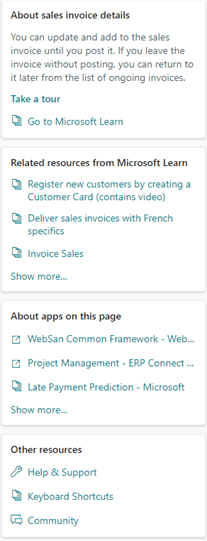
Clicking this question mark icon,  as found in the upper right of Business Central, provides unbelievably valuable information. In the next few pages, we’re going to break down the sections shown here:
Learning
The first best step in solving a problem is to learn more about the issue. That’s why the very beginning of Help fully describes the window that you’re working in.
The example used in this article is the Sales Invoice screen, described here:
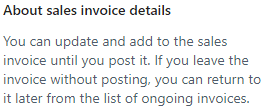
Beneath this description, Microsoft provides the  hyperlink. As seen here, clicking this link walks you through a wizard detailing the major features of your screen:
 The final section in learning is the
  link.
link.
In this instance, details on how to enter and update a Sales Invoice are provided through this Microsoft Learn article.
Thinking Out of the Box
Sometimes, a solution can only by found elsewhere.
Microsoft developers have been practicing this “out of the box” thinking for decades and have, therefore, provided related but outside resources to assist in completing the task that you’re working on.
The list seen within the screenshot below, for example, begins with a link containing a video tutorial on how to register a new Customer:

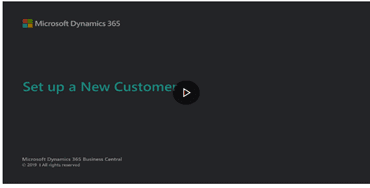
When following this link, this is the title screen of the video you are directed to.
Teamwork Makes the Dream Work
Remember that many trusted Microsoft Partners in our Community provide invaluable “add-ons” to the core Business Central product.
These additional products command not only respect but attention to detail.
For this reason, Help lists these in About apps on this page. If you think about it objectively, clicking any of these links might show that a setting in one of these add-ons needs to be configured to eliminate the error you may be encountering.

Going the Extra Mile
No matter how many resources or how much effort is required, Microsoft provides numerous tools in the final section of Help called “Other resources”:

Documentation, blog articles, future release plans, and a place to voice your ideas are all found in Help & Support.
In case logs and other resources on your error need to be provided to Microsoft Support Engineers, Help & Support’s “Troubleshooting” section gives you access to the Performance Profiler and even debugging of Business Central’s programming code – Application Language.
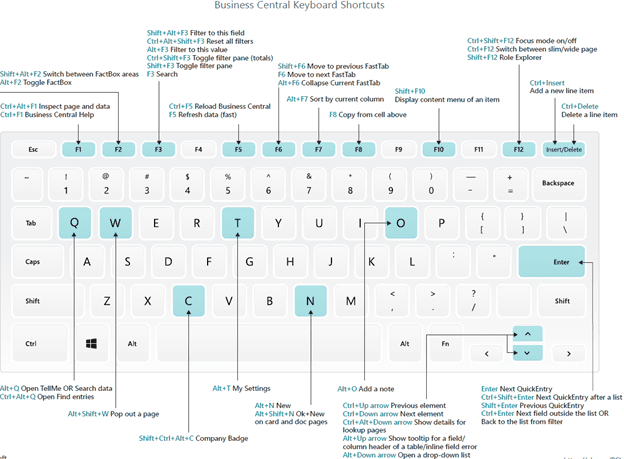
Also, you may download a PDF referencing the list of Business Central’s keyboard shortcuts:
Finally, clicking Community takes you to the indispensable Business Central forum where you may directly ask our Community’s MVPs for solutions.
Simply by logging in with your Microsoft 365 credentials, you’ll gain free support with a reasonable turnaround time! You can post your own questions using the button in the top right corner.

For more information about how to maximize your Dynamics 365 Business Central investment, please reach out to Sales@BondConsultingServices.com or you can click here to schedule a free consultation with one of our Dynamics experts.