We’re bringing AI into projects. See what’s changing on Tues, Apr 28

March 3, 2026

Customize Edit in Excel in Business Central

When working with Edit in Excel in Microsoft Dynamics 365 Business Central, it’s important to understand that this feature is more than a simple export tool. It creates a direct connection between Excel and your Business Central data, allowing updates made in Excel to be published back into the system. Because of this, any changes made and then published will modify live data, so it is essential to proceed with care. If you need to view the most up-to-date information without making changes, the Refresh option can be used to pull in the latest data safely.

Beyond basic use, Edit in Excel also supports additional functionality that enables users to tailor the experience to better fit their needs. Rather than repeatedly exporting, modifying, and publishing data, users can customize the fields and configuration of the Excel file for ongoing use. This approach helps streamline recurring tasks and promotes consistency in how data is managed outside of Business Central.

The following section outlines how to customize the fields and structure of an Edit in Excel file, allowing it to be reused efficiently while maintaining alignment with Business Central data.

1. Export Edit in Excel from Business Central
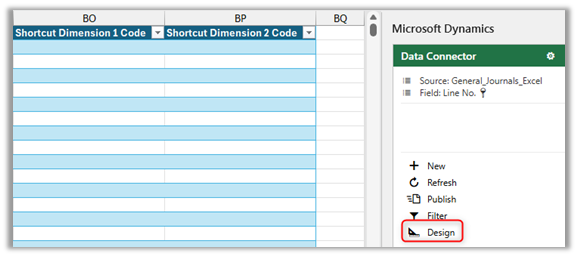
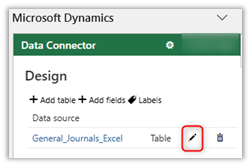
2. In Data Connector, Select Edit (Pencil)
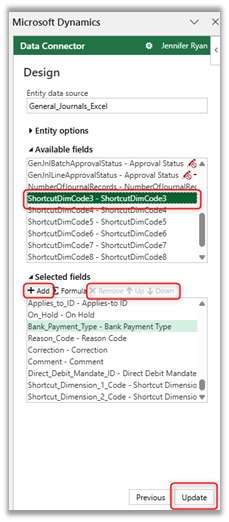
3. To Add Columns, select a column from Available Fields and +Add to Selected Fields. Or Remove Columns or move them Up or Down. Then, Update.
4. Add or Remove filters
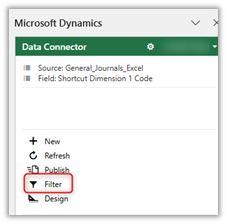
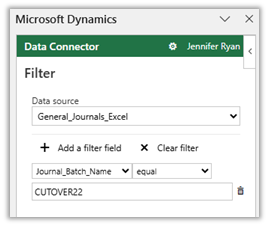
5. Excel → File → Save File

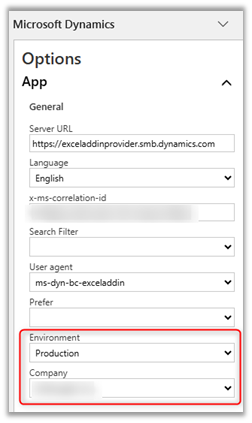
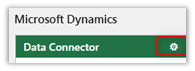
6. To Modify Company
Have Additional Questions? Contact Us Today

Other articles

Why AI Sometimes Feels Off (Even When You Have the Data)

Zoltan Orban

|

April 23, 2026
Webinar: Doing More With the Team You Have | What BCS is Changing About AIApril 28 @ 12:00 PM PT/3:00 PM ETRegister Now!Most small and mid-sized businesses aren't behind on…

What 200% ROI from Business Central Really Looks Like

Jackie Gant

|

April 13, 2026
Where ROI actually shows up from finance efficiency to operational visibility Forrester says Business Central delivers 200% ROI. But what does that actually look like in practice? A recent Total Economic…

Do You Need Avalara for Business Central? A Practical Guide

Clayton Jones

|

April 10, 2026
Webinar: Sales Tax Works…Until It Doesn’t: Tax Complexity at Scale for Product CompaniesMay 5 @ 10:00 AM PT/1:00 PM ETRegister Now!Most companies focused on making, distributing, or selling products manage…

What Is Work IQ? How Microsoft Copilot Moves from Data to Context

Zoltan Orban

|

April 9, 2026
Work IQ is one of those terms that can sound more complex than it really is. Most AI tools today work by pulling from available data. They can read records, summarize…

What’s Rolling Out in Business Central 2026 Release Wave 1

Lupe Haro

|

April 7, 2026
The latest release of Microsoft Dynamics 365 Business Central is now rolling out, with updates scheduled between April and September 2026. When Microsoft first introduced this wave, the themes were clear:…

Where Microsoft Copilot Fits into the Workday

Zoltan Orban

|

March 31, 2026
There is a lot of marketing around Copilot, but in practice, its value often shows up in small, everyday tasks. It is not a replacement for expertise, but it can…